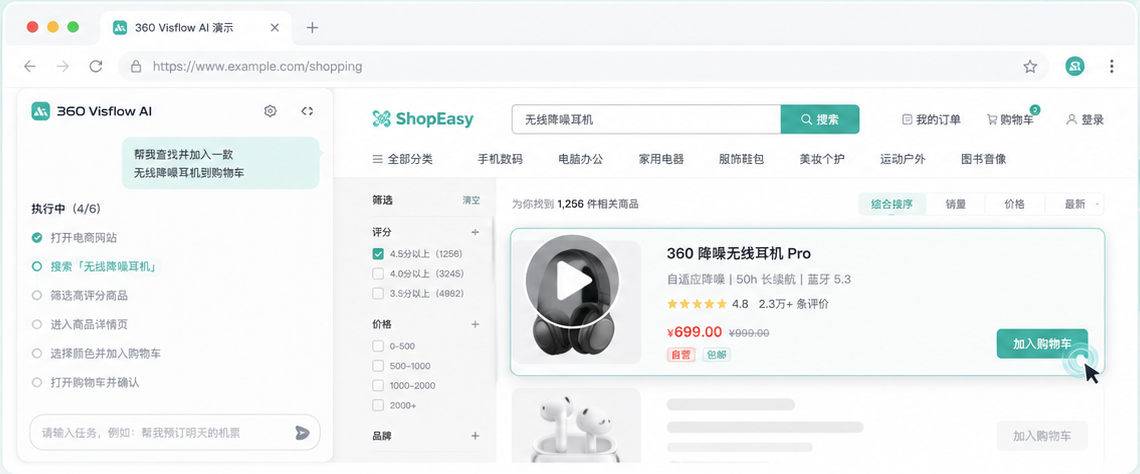
VisFlow Compliance & Support Center
This page explains the VisFlow browser extension’s single purpose, required permissions, data-handling scope, user controls, and review testing path for Chrome Web Store reviewers, users, and legal review.
Single-purpose statement
VisFlow’s single purpose is to help users record, replay, and debug browser automation workflows they initiate. With user authorization, the steps, screenshots, DOM locator data, task results, and model configuration required for those workflows may be used to save, reproduce, execute, and troubleshoot them.
VisFlow does not grant additional access to websites, replace user judgment for critical actions, sell user data, or use user data for advertising profiles.
Feature scope and boundaries
Every capability below supports recording, replaying, and debugging browser automation workflows or AI-assisted execution initiated by the user.
Record user actions
After the user starts recording, VisFlow captures browser actions such as clicks, text entry, scrolling, keyboard input, waits, and opening links, and creates viewable step data.
VisFlow does not continuously record browser activity when the user has not started the relevant feature.Replay and debug workflows
After importing or selecting steps, users can automatically replay them, step through them, pause, stop, reset, inspect logs, and highlight elements from the side panel.
Replay is bound to the page selected by the user and is not used to bypass website access controls.Generate actions with AI assistance
After the user explicitly starts AI execution, VisFlow uses the current-page screenshot, URL, window dimensions, and user instruction to generate structured action proposals or execution steps.
Users should review AI execution results for the relevant context. VisFlow does not replace user judgment for final submission actions.Manage tasks and configuration
After the user authorizes or saves an operation, VisFlow synchronizes task steps, screenshots, DOM summaries, processing results, user model configuration, and issue feedback.
User data is not sold or used for advertising, profiling, credit assessment, or data brokerage.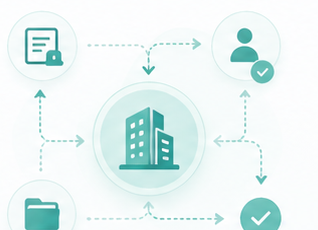
Controlled execution and risk safeguards
VisFlow limits execution to pages selected by the user and permissions already held by the user’s account. User initiation, target-tab binding, sensitive-field protection, logs, and human takeover reduce the risk of unintended or out-of-scope actions.
User initiated
Recording, replay, screenshots, AI execution, saved records, and model configuration are initiated by the user in the extension interface.
Target-tab binding
AI execution and replay remain bound to the target tab selected at launch, reducing the risk of operating on another page.
Sensitive-field protection
The recording pipeline masks high-risk fields such as passwords, verification codes, API keys, tokens, and card security codes.
Human takeover
Users can pause, stop, inspect logs, or take over during execution. Critical actions should proceed only after user review.
Data lifecycle
Page data, screenshots, task steps, and model configuration are processed only for user-facing features. See the VisFlow Privacy Policy for the complete scope.
Local processing
The extension stores settings, recording state, temporary steps, screenshot cache, and UI state in chrome.storage.local, extension memory, or temporary object URLs.
Server synchronization
When a user saves a task, submits feedback, runs a processing workflow, or uses account or model configuration, the required task data is synchronized with the VisFlow backend.
Model configuration
A custom model name, base URL, provider information, and wrapped API key are used only to call the model service specified by the user.
Deletion and control
Users can stop recording, clear local data, delete saved records, sign out, or contact us to request handling of account-related data.
Review testing path
These steps cover the primary review path for installation, sign-in choice, recording, side-panel review, replay, and AI execution.
- After installing the extension, select its toolbar icon and choose account sign-in or guest mode.
- Open an ordinary HTTPS page, start recording, perform a click, text entry, and scroll, then stop recording.
- The extension opens a side panel containing steps, screenshots, DOM summaries, replay controls, and execution logs.
- After Replay or AI Execute is selected, the extension performs automation only on the target tab selected by the user.
- To test sign-in, complete QHPass sign-in or registration on the SassWeb account page that opens in a new tab.
Intended scope
Reproduction, debugging, and assisted execution of browser workflows within the permissions of the user’s own accounts.
Prohibited use cases
Do not use VisFlow to bypass access controls, CAPTCHAs, or paywalls, or to replace users in legal, financial, medical, or other high-impact decisions.
User responsibility
Users must review execution results before critical actions such as submitting, approving, deleting, paying, or publishing, and must follow their organization’s policies.
Version differences
Entry points, service endpoints, sign-in methods, and model configuration capabilities may vary by release, environment, or organization settings.
Support and contact information
For privacy, data, security, review, or product support, contact us through an official channel below.
Privacy, data, security, and store compliance support
Monday–Friday, 09:30–18:30 (China Standard Time)
Electronics City · International Electronics Headquarters
Last updated: 2026-07-07