Teach it once. Your Browser Agent handles the rest.
Tell VisFlow what you need—or demonstrate the task once. It sees the page, decides what to do next, and turns repetitive browser work into reusable know-how.
Available on Chrome and Edge · Browser extension · Public beta Read the user guide
Why do browser tasks so often stall just before completion?
When a site has no stable API and a model lacks task-specific operating knowledge, automation often stalls in the final steps;VisFlow VisFlow sees the rendered page, learns from a demonstration, and carries the task through.
You may have run into this too
- Repetitive work such as expense claims, timesheets, and asset registration looks simple, but consumes time every day—and many internal systems still lack stable APIs.
- A minor redesign or a moved dialog can break a rigid, preconfigured workflow.
- Solutions that rely only on page structure struggle with Canvas, custom-rendered controls, and complex interactions.
- A general agent may understand the goal but not the site-specific workflow or company rules, leading to repeated attempts at critical steps and an unfinished task.
What is missing is usually not the goal, but an understanding of the visible page state and the operational knowledge needed to act.
Web interfaces are hard to automate reliably
Dynamic dialogs, redesigned pages, Canvas, and custom controls can all defeat rigid scripts and structure-only automation.
The VisFlow approach: visual-first execution.Understand the page users actually see, then use page structure to supplement long pages and structured information.
General models lack task-specific experience
A general model may understand what to do without knowing how a particular site or company process works, causing it to stall or go off course at critical steps.
The VisFlow approach: learn from demonstrations.Demonstrate the task naturally once. VisFlow captures reusable operational knowledge and applies it flexibly to similar tasks.
No site redesign and no blind model exploration: VisFlow understands the page, learns from you, and completes the task reliably.
Capabilities
This is not another script. It enables VisFlow to form reusable execution knowledge from goals, demonstrations, and on-screen state.

Natural-language task understanding
Describe the outcome—no scripts required.
Describe the business outcome in natural language. VisFlow understands the intent and plans the steps without requiring scripts or workflow builders.

Learning from demonstrations
Demonstrate once. Reuse across the team.
VisFlow learns from a single human demonstration instead of waiting for a larger foundation model. One person teaches it, the whole team reuses the knowledge, and complex workflows improve with use.

Visual-first interface execution
No application API required.
VisFlow understands page state and actionable elements from what users actually see, then clicks, types, scrolls, and navigates without requiring an application API.

Controlled execution with human oversight
The task keeps moving while people stay in control.
Tasks can continue in a dedicated work window. Every step is visible in real time, with pause, step-through debugging, human takeover, and confirmation for critical actions.
What makes VisFlow different
It is neither another rigid script nor merely a collection of browser interfaces; different approaches fit different problems, andVisFlow focuses on one question: when a page is hard to interpret and a workflow requires experience, how can the task be completed reliably while preserving what was learned?
Effective when workflows are predictable
- Workflows must be configured and maintained
- Operational knowledge is locked in scripts
- UI changes often require rework
Flexible on conventional web pages
- Depend on an upstream agent for reasoning and planning
- Work best with well-structured, automation-friendly pages
- Complex interfaces and specialized workflows may require repeated exploration
Visual execution + demonstration learning
- An integrated loop for perception, planning, and execution
- Learns from natural demonstrations without specially authored recordings
- Reuses experience for similar tasks instead of replaying rigid macros
Connect to general agents for more complex workflows
VisFlow provides MCP and Skill integrations for general agents including Codex, Claude Code, WisCode, and Cursor. The general agent understands the goal, decomposes the task, and coordinates tools, while VisFlow handles the web steps that are difficult to execute reliably.
The general agent coordinates the whole task
- Understand complex goals and context
- Break down cross-tool, cross-page tasks
- Decide when to invoke VisFlow
Bring reliable web execution into your workflow
- Works with general agents including Codex, Claude Code, WisCode, and Cursor
- Connects to existing workflows through standard interfaces
- No need to rebuild web automation for every agent
VisFlow handles the web steps
- Understand the rendered page and its visible state
- Reuse operational knowledge captured from demonstrations
- Return results so orchestration can continue
A clearer division of responsibilities:The general agent reasons, plans, and coordinates across tools; VisFlow executes complex browser steps reliably. Together they can complete multi-stage work spanning research, file processing, content generation, web data entry, and result verification.
Validated on real-world tasks
These are not short demo flows. They put VisFlow to the test in internal systems, long workflows, and batch operations.
Completed in about one minute
In an internal ERP system, VisFlow completed an end-to-end IT asset request spanning up to 27 steps, so new employees no longer needed to consult an operating manual.
Validated at batch scale
In stress testing, VisFlow submitted more than 600 asset requests and supported one-click batch rejection, validating the efficiency potential of workflow-level automation.
From unsuccessful exploration to first-pass success
On an unfamiliar internal system, six minutes of unguided exploration failed. After a two-minute human demonstration, the next run succeeded on the first attempt in about one minute.
The difference between failure and first-pass success was a single learn-from-you demonstration.
Typical use cases
From internal admin systems to public web forms,VisFlow turn high-frequency, repetitive, cross-page work into reusable workflows.
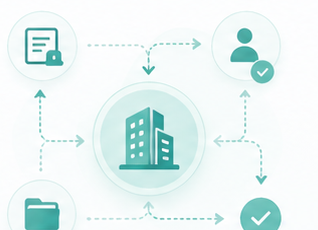
Enterprise workflow automation
Automate standard workflows across office systems, expenses, timesheets, asset requests, IT services, and internal forms.
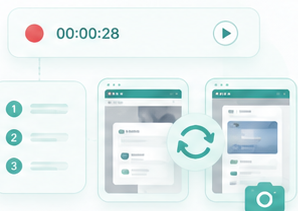
Workflow reproduction and knowledge reuse
Capture standard procedures as task examples for reproduction, onboarding, and related workflows.
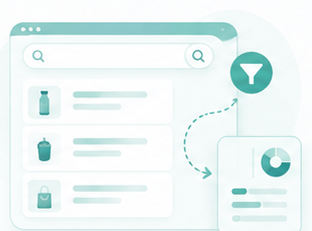
Batch data entry and processing
Handle data entry, status updates, batch submissions, and back-office maintenance.
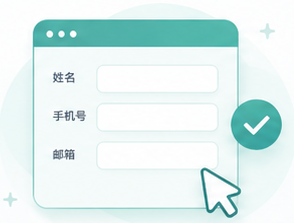
Intelligent web search and form completion
Reduce repetitive typing and clicking for registration, data entry, appointment requests, surveys, and other web forms.
Enterprise security and compliance
Execution alone is not enough; enterprises also need control and confidence.VisFlow Bring AI into business workflows safely, compliantly, and under human control.
VisFlow Establish boundaries across data, actions, and permissions, with support for internal systems, enterprise access controls, and compliance requirements.
VisFlow is designed primarily for workplace scenarios and is integrated into360 Enterprise Secure Browser

Sensitive-data masking
Mask sensitive fields in workflow records and page data to reduce risk when capturing and reusing examples.

Confirmation for high-risk actions
Validate intent and require human confirmation before critical actions such as submitting, approving, deleting, paying, or publishing.
Operation within existing permissions
Operate within the user’s existing browser session and permissions, without privilege escalation or unrestricted screen access.

Private model integration
Connect to an enterprise LLM gateway or designated model so data handling and inference remain controllable.
Start with one repetitive workflow
Start with one demonstration,VisFlow and turn a repetitive workflow into reusable execution capability.
Available for Chrome and Edge · Browser extension · Background task progress · Configurable model service
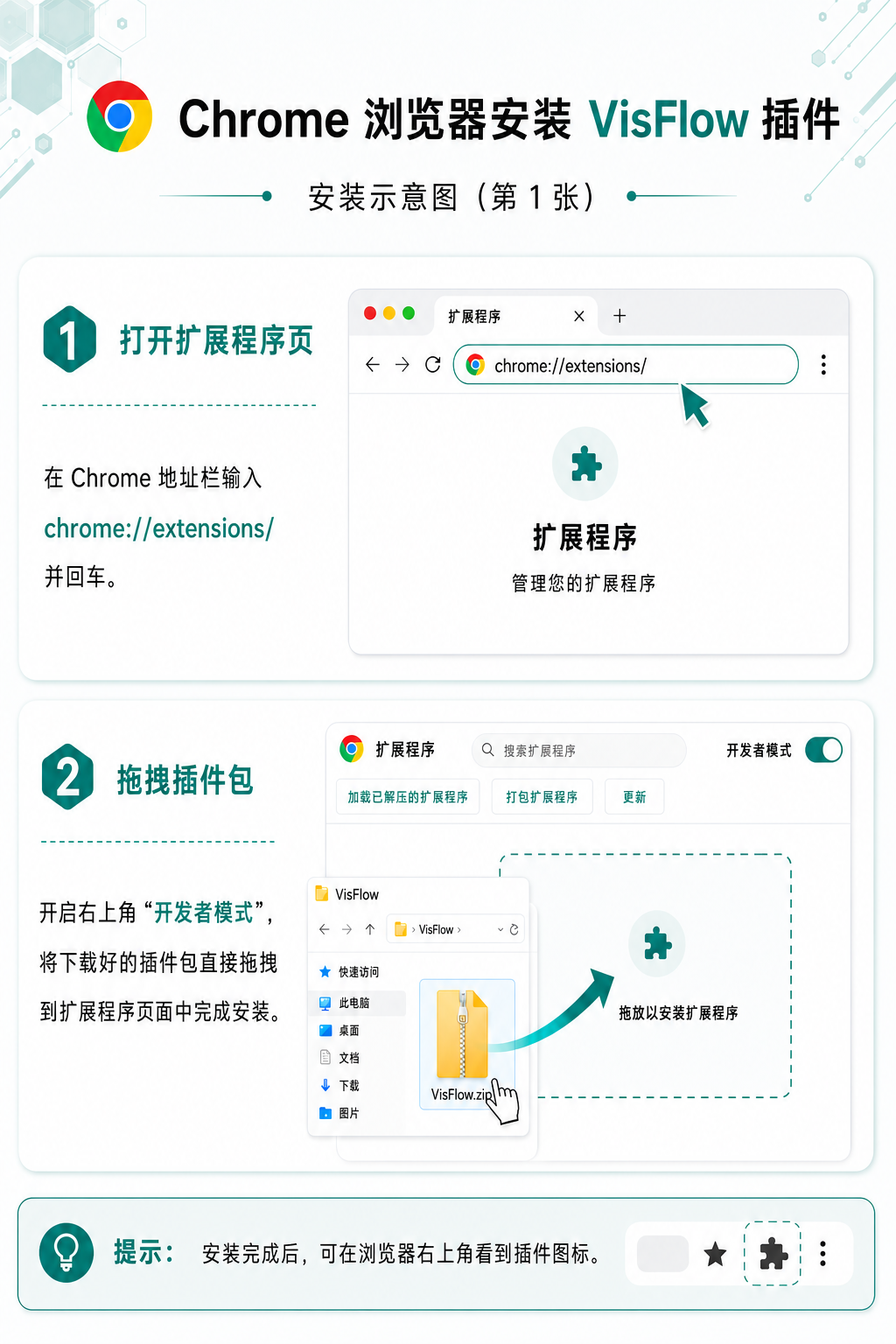
Install VisFlow
Download the extension and follow the instructions to configure it in Chrome or Edge.

Open the target page
Open the internal system, admin page, or public website where the task needs to be completed.

Describe or demonstrate the workflow
Describe the goal or demonstrate a standard workflow so VisFlow can learn the organization’s operating knowledge.

Execute and reuse the knowledge
Review the steps and results; related tasks can then reuse the captured workflow example.


Security and compliance
Sensitive-data masking, permission boundaries, and confirmation for critical actions keep execution controlled.

Learning from demonstrations
Capture human operating knowledge as reusable AI execution capability.

Workflow reuse
One person demonstrates; the team reuses it. Long-tail workflows improve with use.

Background progress
Keep tasks moving in the background and reduce repetitive clicking and low-value waiting.